The Working Life Edit
Inside The Private Desk: From ‘One Day’ to a Plan You Can See
A closer look at the workbook, from your first savings goal to the weekly decisions that keep your plans moving.
7 min read
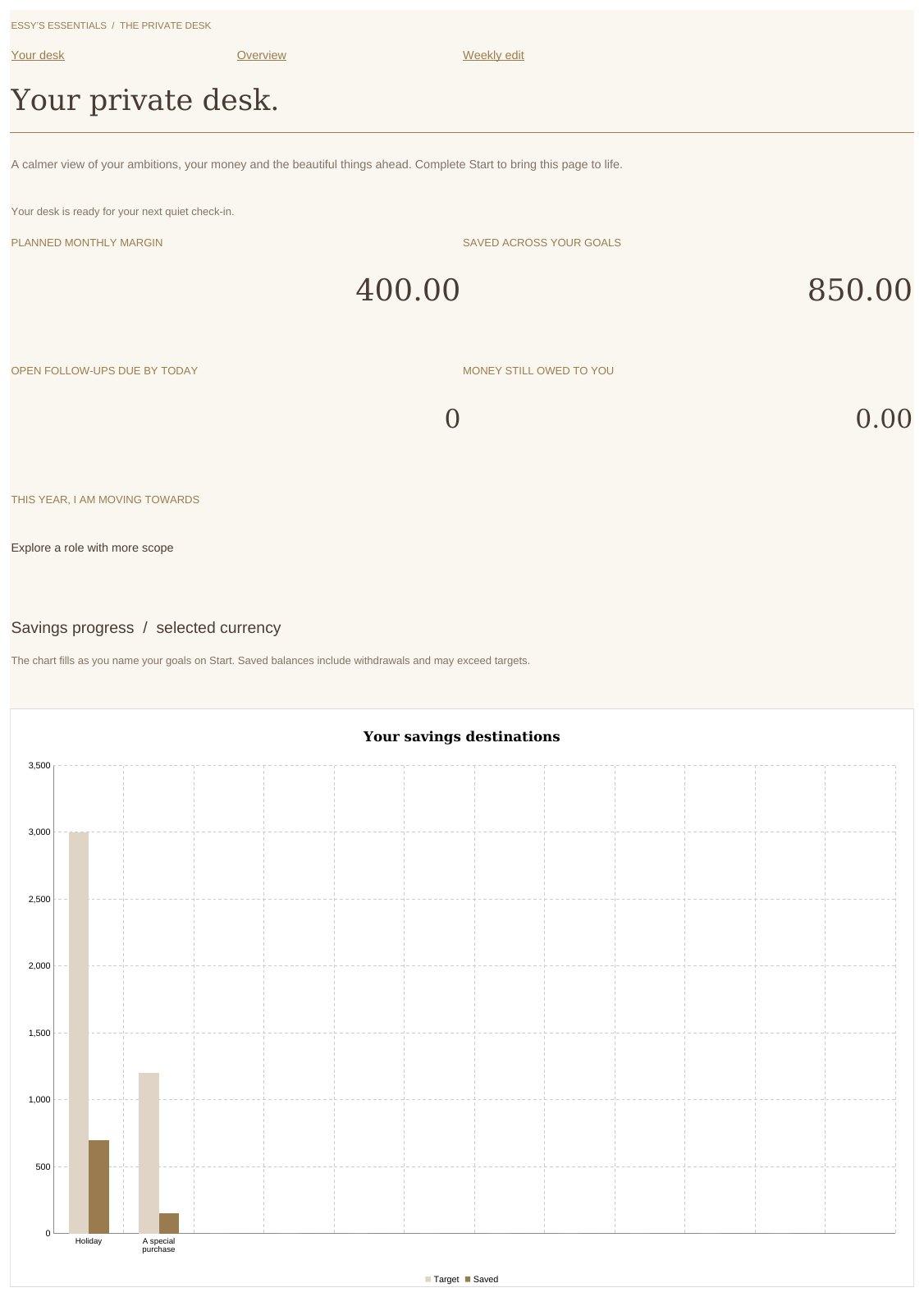
Illustrative entries; your workbook arrives blank.
You may know what you want next: a more interesting role, a particular trip, something beautiful you have been saving for. The details often live in different places. A note on your phone, a balance in your banking app, a conversation you intend to arrange.
The Private Desk planner brings career plans, savings goals and weekly priorities into one Excel workbook. It is a digital download from Essy’s Essentials, priced at €49 as a one-time purchase.
I wanted it to be useful when you sit down to make a decision, and lovely enough to enjoy opening. The palette is warm ivory, taupe, dark brown and brass, with space for the practical details behind the things you want to do.
Here is a closer look at how you could use it.
Begin with what matters to you
The download includes a blank workbook and a short PDF start guide. Save your own working copy, open it in Microsoft Excel and begin on Start.
The starting questions give you a place to enter your foundations and priorities. Relevant information feeds the linked overview, career and goal areas. You build on that starting point as you add details; you do not have to complete every section in one sitting.
For this walkthrough, imagine a woman with three plans: explore a more senior role, save for a long-awaited purchase and take a proper holiday. This is an illustrative example, not a customer story. The figures below are invented to show the calculations; the workbook you receive is blank.
Turn a savings intention into visible progress
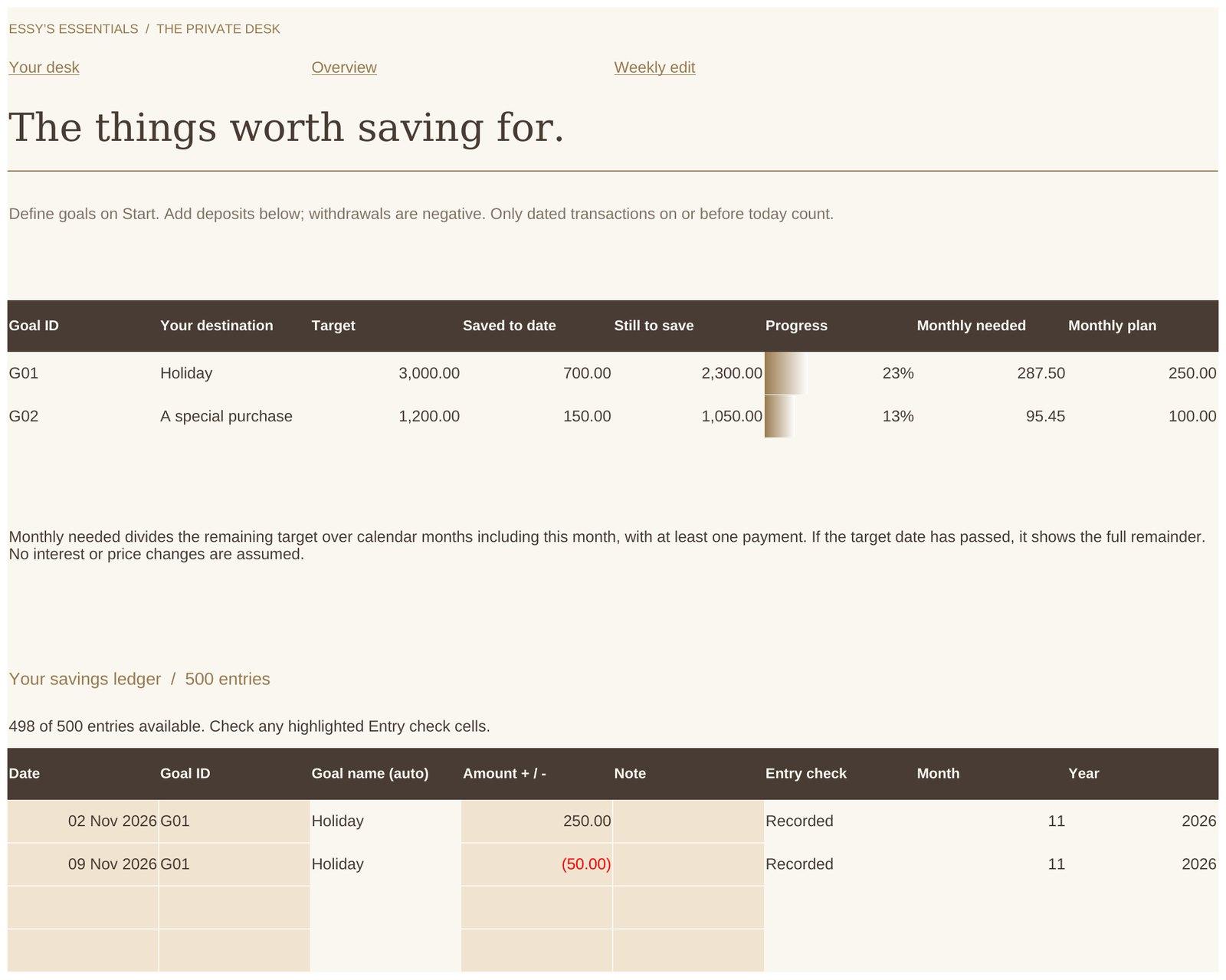
She begins with a holiday fund. Her illustrative target is €3,000, and she already has €500 set aside. She records that opening amount against the goal.
Later, she adds a €250 deposit and a €50 withdrawal to its savings ledger. The balance becomes €700, leaving €2,300 to reach the target. That is approximately 23% funded.
The goal’s progress is visible in the workbook rather than something she has to calculate again from scattered notes. There is room for 12 savings goals, so a trip and a special purchase can each have their own target and record.
The workbook records amounts you enter. It does not connect to your bank or move money for you. When you make a real transfer, you record it; setting a planned monthly contribution does not mean that contribution has already been saved.
That distinction makes the overview useful: you can see the difference between an intention and money you have actually put aside.
Give a career ambition a next conversation
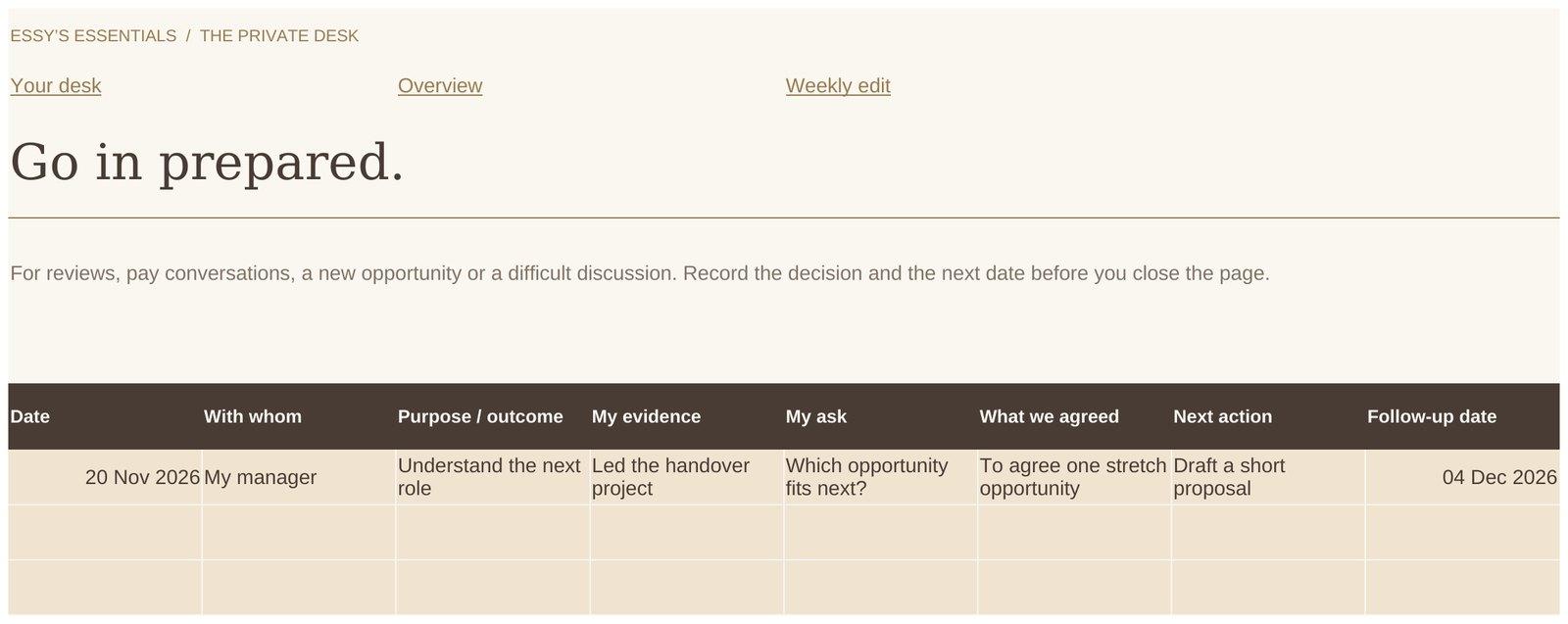
Her career goal is to explore a role with more scope. She uses Career to record the direction she wants to take and relevant work she has done. In Conversations, she prepares what she wants to discuss.
A useful note might read:
“I would like to understand the experience required for the next role, where I already demonstrate it and which opportunity would help me develop further.”
As she completes work, she records specific contributions and outcomes. When it is time for the conversation, those examples are easier to find. She can prepare a clear request instead of relying on a general feeling that she is ready for more.
The workbook cannot decide the next step for her or guarantee a promotion. It gives her somewhere to organise the evidence, questions and follow-up that support the conversation. Confidential workplace material should remain in the appropriate work systems.
Make the trip a plan for time as well as money
With a savings goal underway, she turns to Escapes to organise the travel details: dates, leave and the booking or packing notes she wants to keep together.
There are still decisions to make. Does the proposed week work? Has the leave been agreed? What needs booking next? Seeing the money and time involved helps her decide what is realistic before committing.
She can also use Wishlist to consider the purchase she has in mind. A desired item can sit there while she thinks about its cost, likely use and priority alongside her other plans. Wanting something does not have to trigger an immediate purchase.
Come back for a weekly edit
Once the foundations are entered, a return visit can focus on what has changed.
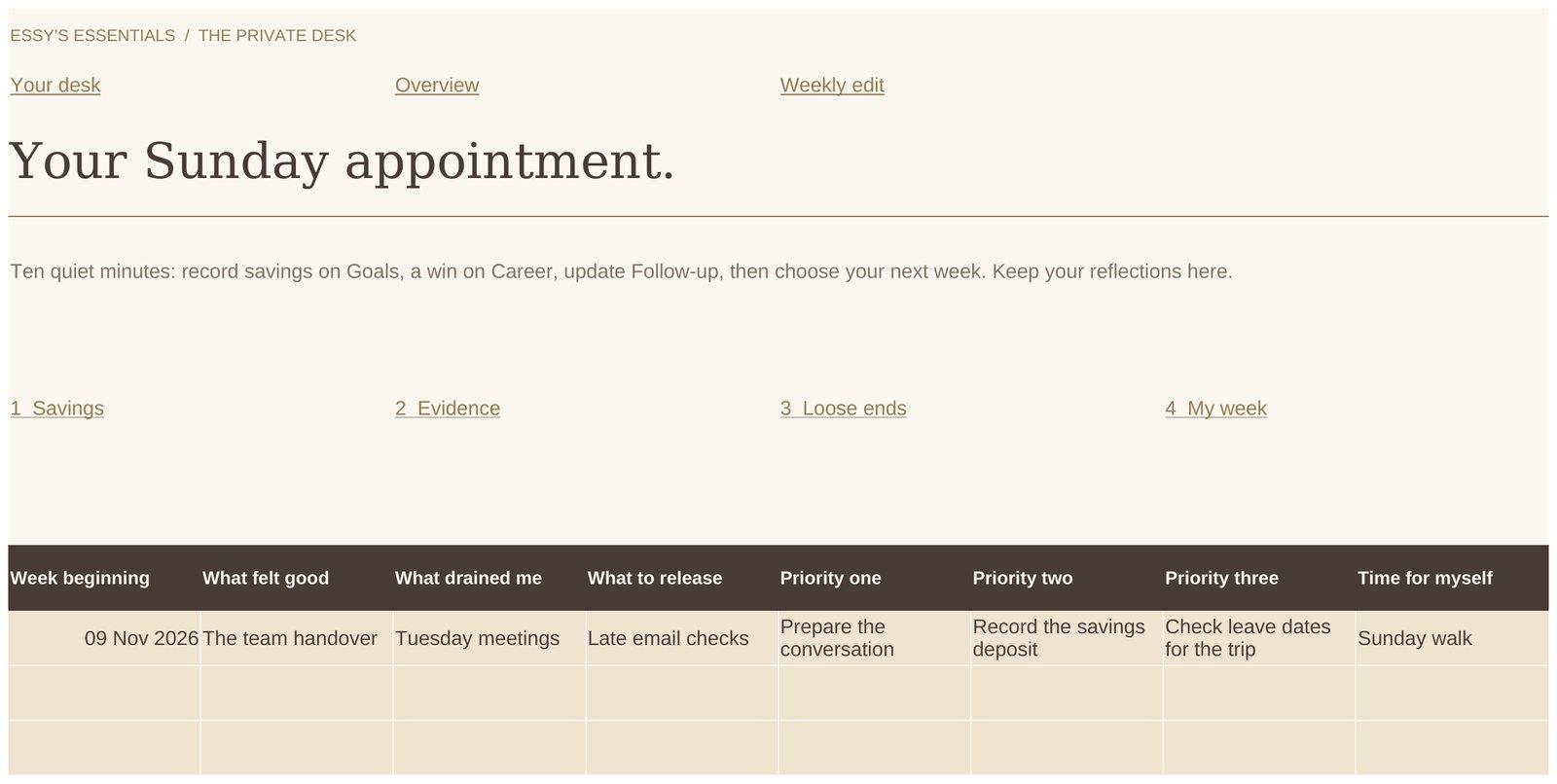
In this example, she adds a completed piece of work to her career notes, records a savings deposit, updates an outstanding reimbursement and chooses the next action for the trip. Week holds her commitments, while Weekly edit gives her space to reflect and decide what needs attention.
She does not need to complete every page. A quieter week may need only a few entries. When circumstances change, Monthly edit offers a place to look more broadly at the plans and adjust them.
The Inspiration section includes optional reading and a playlist link. They are there if she would enjoy them while planning; following them is not part of the work she needs to do.
What is included?
The download contains the Excel workbook and a PDF start guide. Its 13 tabs are arranged around these purposes:
You receive the structure and calculations already arranged, ready for your own details. The example in this article is for demonstration and is not prefilled in your copy.
| What they are for | |
|---|---|
| Start and Overview | Enter your foundations and see a connected summary |
| Goals and Money | Track savings goals and plan monthly money |
| Week | Keep weekly commitments in view |
| Career and Conversations | Record contributions and prepare discussions |
| Follow-up | Keep track of outstanding actions and money owed |
| Escapes and Wishlist | Plan trips and consider purchases |
| Weekly edit and Monthly edit | Reflect and adjust your priorities |
| Inspiration | Find optional reading and a playlist link |
Before you choose it
The Private Desk is an Excel .xlsx workbook. You work through cells, tabs and links. It is not a standalone app or a PDF planner for Goodnotes, and Microsoft software is not included in the price.
Microsoft Excel is required. If you plan to use an iPad, check that your device and Microsoft plan allow Excel editing; some devices and features require a qualifying Microsoft 365 subscription. Microsoft explains the current requirements in its mobile editing guidance.
You save and manage your own working file. Opening a separate copy on another device will not automatically bring your latest entries across. Any syncing depends on your own storage service and setup; Essy’s does not provide a planner account or synchronisation service. Keep a backup of your working file and retain the original blank download.
The €49 price is a one-time purchase. There is no Essy’s subscription, and ongoing content updates or new features are not included. This is a good fit if you enjoy an editable spreadsheet with a prepared structure and visual progress. If you want handwriting pages or a service that connects automatically to your bank and calendar, it will not provide those functions.
Frequently Asked Questions
Do I need to fill in every tab?
No. Begin with Start and the areas relevant to your current priorities. Return to the other sections when you have a reason to use them.
Does it update automatically from my bank or calendar?
No. You enter your own figures and commitments. Linked formulas calculate the relevant balances and summaries from those entries.
Can I use it in Goodnotes, Numbers or Google Sheets?
It is designed for Microsoft Excel. It is not a Goodnotes planner, and other spreadsheet apps are not a verified use route for this edition.
Will my information follow me between devices?
The purchase does not include a syncing service. To continue on another device, you need access to your current working file through your own storage arrangement, rather than a new or separate copy.
Is this a subscription?
No. The Private Desk costs €49 once. Any Microsoft software or storage subscription you choose is separate.
Where would you begin?
With a career conversation, something you are saving for or a trip you want to make happen? Choose the area that would make the biggest difference to see clearly today.
A Note on This Content
The content on Essy’s Essentials is intended for general inspiration, personal organisation and educational purposes. It does not constitute personal financial, investment, tax or legal advice. Always consider your own circumstances and seek qualified advice where appropriate. Any amounts shown are illustrative examples only, never a recommendation for what you personally should save or spend.

Written by Esther
Esther is a photographer and storyteller, and the founder of Essy's Essentials - a seasonal home for stories, rituals, recipes and everyday luxuries.
More about Esther →