Microsoft 365 & Productivity
Planner Without the Clutter
A clear shared task system for teams, projects and recurring work.
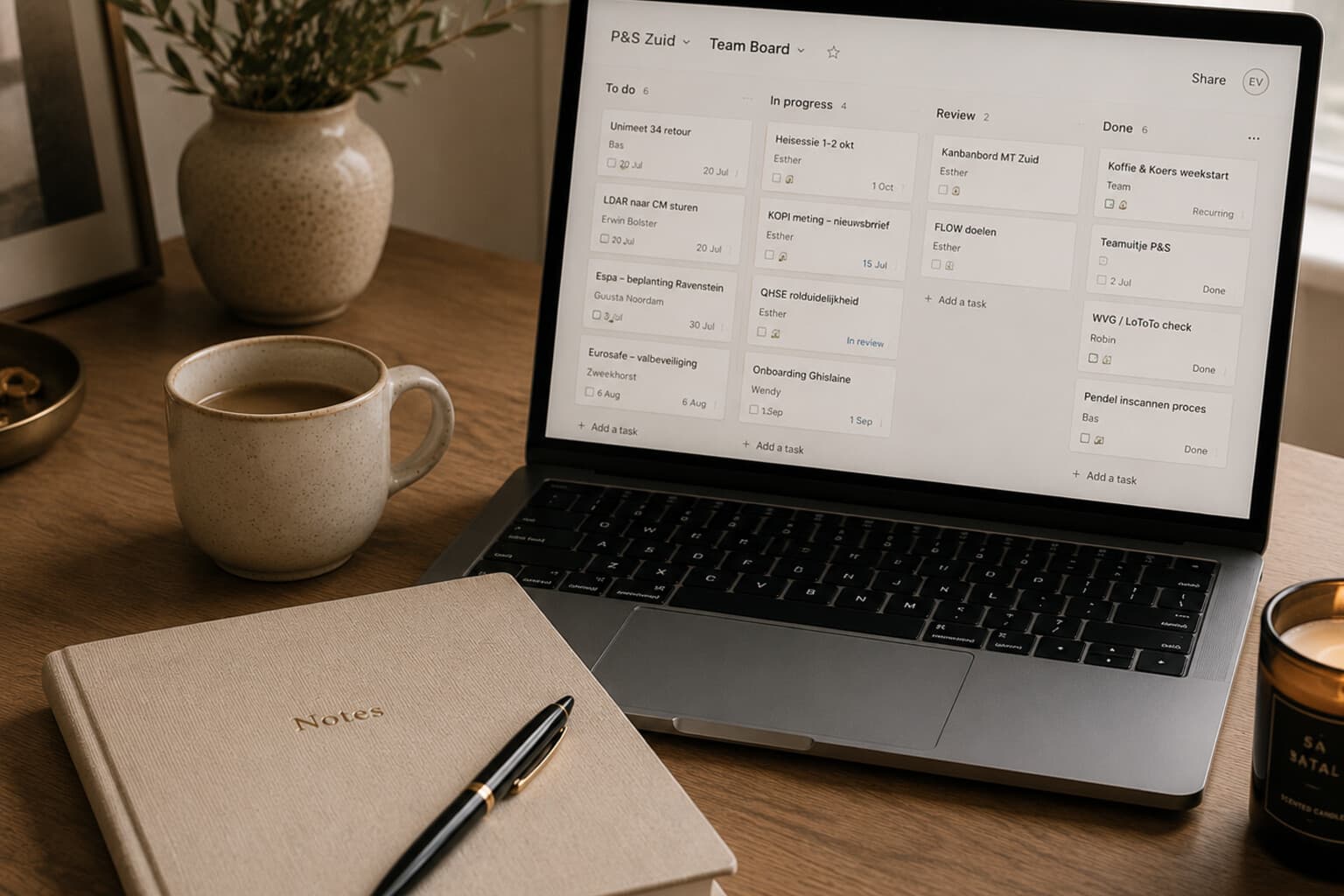
Shared work becomes difficult when actions live in meeting notes, email, chats and individual memories.
Planner can be used to create shared plans, assign tasks and track progress across team initiatives.
The tool creates visibility only when the plan remains clear enough to use. A board with hundreds of vague or outdated tasks does not create transparency. It creates a digital storage room.
Begin With the Purpose
Create one plan for a clear shared purpose - for example: website launch, monthly content production, team action plan, event organisation, home renovation, seasonal campaign.
Do not create separate plans for small subjects that could remain within one existing structure.
Choose Meaningful Buckets
Buckets should describe stages, workstreams or time periods. By stage: Ideas, Planned, In progress, Review, Complete. By workstream: Content, Design, Website, Photography, Launch. By timeframe: This month, Next month, Later.
Choose one logic and apply it consistently.
Write Actionable Task Titles
A task should explain the result. Avoid "Homepage," "Photography," "Newsletter" or "Launch." Use "Approve homepage copy," "Select eight launch photographs," "Build the newsletter sign-up form," "Complete the pre-launch website check."
Add One Owner
Every active task needs one clearly responsible owner. Other people may contribute, but one person must know that the task belongs to them.
Shared ownership often becomes invisible ownership.
Use Dates Honestly
A due date should represent a real commitment or planning decision. Do not assign arbitrary dates simply to make the board look complete.
Review dates that have passed. Then decide: complete the task, set a new realistic date, remove the task, or move it out of active work.
Clarify the Expected Result
Use the task description for purpose, required output, relevant context and definition of done. Use checklists for smaller components that belong to the same outcome.
Create separate tasks when components have different owners, have different due dates, require separate review, or could block one another.
Keep Files and Discussion Close to the Task
Attach or link the relevant working material where appropriate. Record important task-specific updates with the task rather than dispersing them across unrelated conversations.
Do not use task comments as the only permanent record of a major decision - important decisions should also be documented in the appropriate project location.
Use Labels With Restraint
Possible labels: Decision needed, Blocked, External dependency, High priority, Content, Design.
Limit labels to distinctions that lead to a different action.
Small Next Steps
- Remove obsolete tasks.
- Check overdue dates.
- Confirm every active task has an owner.
- Update task status.
- Identify blocked work.
- Review tasks waiting for a decision.
- Move completed tasks out of the active view when appropriate.
- Select the next priorities.
Pair It With
Frequently Asked Questions
When should I create a new Planner plan versus reuse an existing one?
Only for a clear shared purpose - a website launch, monthly content production, a team action plan, an event. Do not create separate plans for small subjects that could stay within an existing structure.
How should Planner tasks be titled?
By the result, not the subject - "Approve homepage copy" rather than "Homepage," "Build the newsletter sign-up form" rather than "Newsletter." A vague title describes a topic, not an action.
Does every task need an owner?
Yes - every active task needs one clearly responsible owner. Other people may contribute, but shared ownership without a named owner often becomes invisible ownership.
How should due dates be used in Planner?
Honestly - a due date should represent a real commitment or planning decision, not an arbitrary date added to make the board look complete. Review dates that have passed and either complete, reschedule, remove or deprioritise the task.
A good Planner board does not show everything a team has ever considered.
It shows what has been agreed, who owns it and what needs to happen next.
A Note on This Content
The content on Essy’s Essentials is intended for general inspiration, personal organisation and educational purposes. It does not constitute personal financial, investment, tax or legal advice. Always consider your own circumstances and seek qualified advice where appropriate. Any amounts shown are illustrative examples only, never a recommendation for what you personally should save or spend.

Written by Esther
Esther is a photographer and storyteller, and the founder of Essy's Essentials - a seasonal home for stories, rituals, recipes and everyday luxuries.
More about Esther →